
For WordPress
WordPress 6.4+ · PHP 8.1+
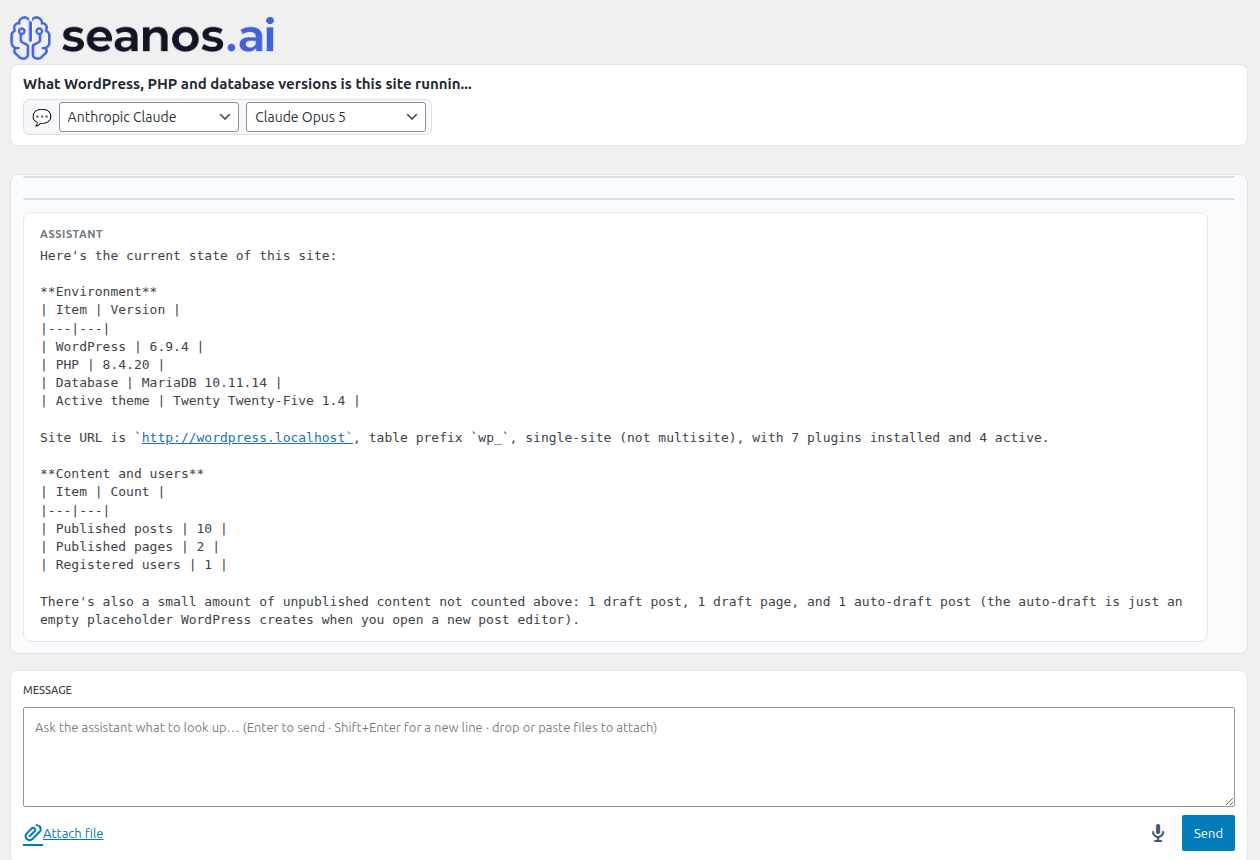
Seanos AI is a multi-provider AI assistant that lives inside your CMS admin and uses a curated, capability-gated toolset to read, audit, and (on Joomla and the Pro editions) change your site — drafting posts, managing media, querying the database, scaffolding plugins and themes, and more.
Same agent on WordPress 6.4+ and Joomla 4.2+ / 5.x — chat, providers, attachments, audits. The free editions differ a little in scope: Joomla free is the full toolset (read + writes), WordPress free is read-only by design, and Pro adds the developer toolkit on either side.
WordPress 6.4+ · PHP 8.1+
Joomla 4.2+ / 5.x · PHP 8.1+
WordPress and Joomla ship slightly different free editions: the WordPress free is deliberately read-only (per WordPress.org scope rules), and every write capability moves into WordPress Pro. The Joomla free is a unified surface that JED approved with the writes included; Joomla Pro then adds the developer toolkit on top. Both Pro editions are a one-time payment with lifetime updates.
| What you get | Free | Pro |
|---|---|---|
| Chat with any of 8 AI providers — Anthropic, OpenAI, Gemini, DeepSeek, Grok, GitHub Models, Ollama, or any OpenAI-compatible endpoint | ✓ | ✓ |
| Per-conversation provider / model selector in the chat header — pick one provider for chat and another for image generation, no global default needed | ✓ | ✓ |
| Pull content from any public URL — fetch a page, extract its title / description / canonical metadata | ✓ | ✓ |
| Crawl a list of internal URLs and audit them for broken links, missing meta tags, empty image alt, or duplicate titles | ✓ | ✓ |
| Read-only SQL — run SELECT / SHOW / DESCRIBE / EXPLAIN against any CMS table to inspect data on demand | ✓ | ✓ |
| Tail debug logs, surface recurring errors, and explain stack traces in plain English | ✓ | ✓ |
| Audit installed plugins / modules / templates / themes — see what is active and on which version | ✓ | ✓ |
| Drop attachments into chat across every provider — images (vision-capable models), PDFs (native on Anthropic / Gemini, pdftotext on OpenAI-class), `.docx` / `.xlsx` / `.pptx` Office files, and plain text | ✓ | ✓ |
| Encrypted-at-rest API keys; fenced code blocks render with a Copy button | ✓ | ✓ |
| Draft, edit, and publish blog posts / articles from chat — agent picks the right category, slug, and status | − | ✓ |
| Upload, resize, and organise media — MIME types sniffed from the bytes, attachments dropped into chat get filed automatically | − | ✓ |
| Generate images from a text prompt with OpenAI (DALL·E 3, gpt-image-2) or Gemini (Imagen 3, Nano Banana) — saved into the media library, inlined back into chat | − | ✓ |
| Create categories, tags, taxonomies, navigation menu items, and custom fields without touching the admin forms | − | ✓ |
| Create users, assign roles / groups, build view levels, and grant or revoke individual permissions | − | ✓ |
| Enable, disable, install, and uninstall plugins / modules / templates / themes | − | ✓ |
| Clear caches, rebuild navigation menus, and refresh menu / term metadata after edits | − | ✓ |
| Strict approval mode — every write pauses for explicit operator sign-off | − | ✓ |
| Curated prompt library — around 40 multi-step prompts that demo the agent end-to-end (50 with Pro tools registered) | − | ✓ |
| File editing — write, patch, and delete files; create directory trees, all under the install root | − | ✓ |
| Write SQL — INSERT / UPDATE / DELETE / DDL after approval, with full row-count diffs | − | ✓ |
| Plugin / module / template / component scaffolding from a single prompt | − | ✓ |
| Build install packages ready to ship — zipped, manifest-stamped, version-bumped | − | ✓ |
| PHP lint integrated into the chat — paste a file, get inline errors back | − | ✓ |
| Snapshot rollback — restore any single change from the audit log without rolling back the whole site | − | ✓ |
| Advanced multi-step prompts for build / refactor / migration / release work — unlocks the full 50-prompt library | − | ✓ |
| Price | Free | $49.00 USD |
| What you get | Free | Pro |
|---|---|---|
| Chat with any of 8 AI providers — Anthropic, OpenAI, Gemini, DeepSeek, Grok, GitHub Models, Ollama, or any OpenAI-compatible endpoint | ✓ | ✓ |
| Per-conversation provider / model selector in the chat header — pick one provider for chat and another for image generation, no global default needed | ✓ | ✓ |
| Pull content from any public URL — fetch a page, extract its title / description / canonical metadata | ✓ | ✓ |
| Crawl a list of internal URLs and audit them for broken links, missing meta tags, empty image alt, or duplicate titles | ✓ | ✓ |
| Read-only SQL — run SELECT / SHOW / DESCRIBE / EXPLAIN against any CMS table to inspect data on demand | ✓ | ✓ |
| Tail debug logs, surface recurring errors, and explain stack traces in plain English | ✓ | ✓ |
| Audit installed plugins / modules / templates / themes — see what is active and on which version | ✓ | ✓ |
| Drop attachments into chat across every provider — images (vision-capable models), PDFs (native on Anthropic / Gemini, pdftotext on OpenAI-class), `.docx` / `.xlsx` / `.pptx` Office files, and plain text | ✓ | ✓ |
| Encrypted-at-rest API keys; fenced code blocks render with a Copy button | ✓ | ✓ |
| Draft, edit, and publish blog posts / articles from chat — agent picks the right category, slug, and status | ✓ | ✓ |
| Upload, resize, and organise media — MIME types sniffed from the bytes, attachments dropped into chat get filed automatically | ✓ | ✓ |
| Generate images from a text prompt with OpenAI (DALL·E 3, gpt-image-2) or Gemini (Imagen 3, Nano Banana) — saved into the media library, inlined back into chat | ✓ | ✓ |
| Create categories, tags, taxonomies, navigation menu items, and custom fields without touching the admin forms | ✓ | ✓ |
| Create users, assign roles / groups, build view levels, and grant or revoke individual permissions | ✓ | ✓ |
| Enable, disable, install, and uninstall plugins / modules / templates / themes | ✓ | ✓ |
| Clear caches, rebuild navigation menus, and refresh menu / term metadata after edits | ✓ | ✓ |
| Strict approval mode — every write pauses for explicit operator sign-off | ✓ | ✓ |
| Curated prompt library — around 40 multi-step prompts that demo the agent end-to-end (50 with Pro tools registered) | ✓ | ✓ |
| File editing — write, patch, and delete files; create directory trees, all under the install root | − | ✓ |
| Write SQL — INSERT / UPDATE / DELETE / DDL after approval, with full row-count diffs | − | ✓ |
| Plugin / module / template / component scaffolding from a single prompt | − | ✓ |
| Build install packages ready to ship — zipped, manifest-stamped, version-bumped | − | ✓ |
| PHP lint integrated into the chat — paste a file, get inline errors back | − | ✓ |
| Snapshot rollback — restore any single change from the audit log without rolling back the whole site | − | ✓ |
| Advanced multi-step prompts for build / refactor / migration / release work — unlocks the full 50-prompt library | − | ✓ |
| Price | Free | $49.00 USD |